




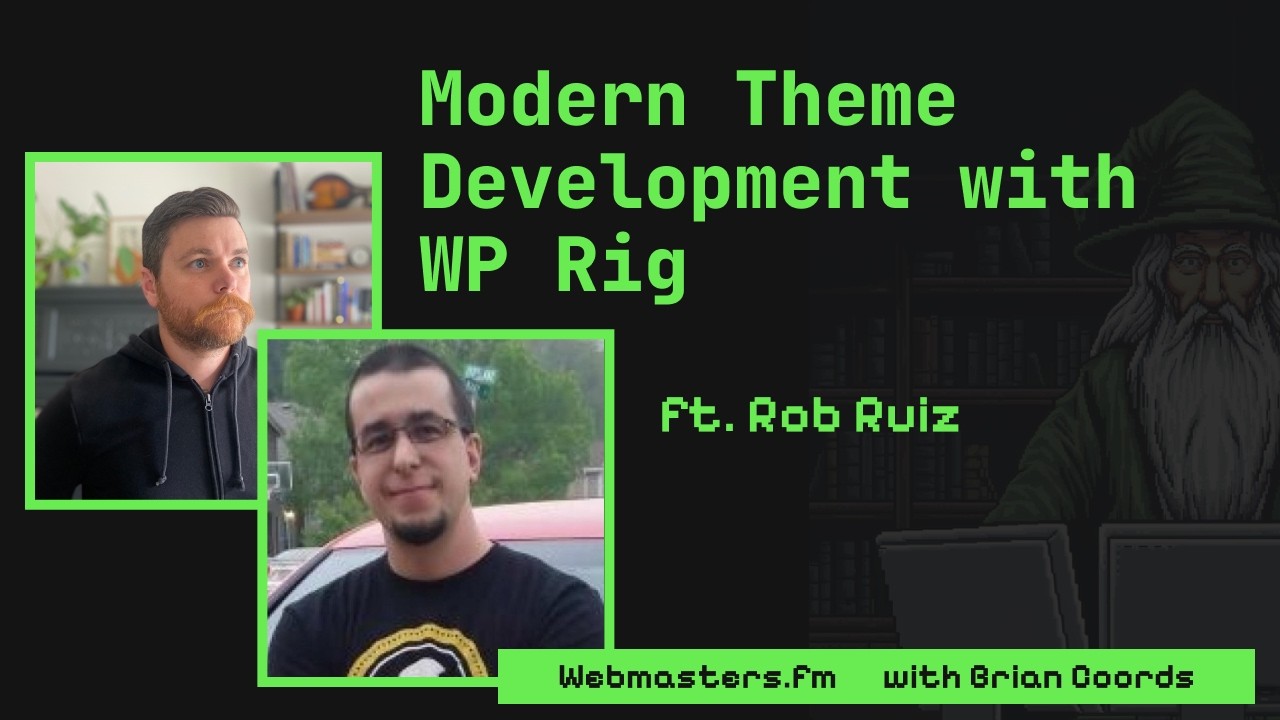
In this episode, Rob Ruiz and Brian Coords discuss the evolution of WordPress development, focusing on WP Rig, a modern theme framework. They explore how AI, automation, and best practices can streamline theme creation, improve quality, and address future challenges in content management and developer workflows.
Links
- Rob Ruiz on X – https://x.com/robcruiz
- WP Rig – https://wprig.io/
- WP Rig on X – https://x.com/wprigio
Chapters
Chapters
0:00 Introduction to Rob Ruiz and WP Rig
1:22 WordCamp US experience and key takeaways
3:33 What is WP Rig and why use it?
7:26 The importance of a toolkit for modern theme development
10:52 AI and agentic frameworks in theme creation
9:09 Handling updates and dependencies in WP Rig
14:17 Building components and plugins with WP Rig
16:45 The open component registry and plugin ecosystem
19:33 Supporting classic and block themes
22:09 Creating custom blocks and build system integration
24:40 Building admin UI and settings pages with WP Rig
28:16 Ensuring opinionated and consistent development workflows
38:31 Content management challenges and future solutions
39:51 The role of content storage and JSON in AI-driven development
41:12 Managing plugins, media, and clutter in WordPress
44:47 Getting involved with WP Rig community and resources
Transcript
Brian Coords (00:00)
All right, welcome to Webmasters FM and today we have Rob on the show. Rob, welcome and maybe give a little introduction of who you are and what you’ve been working on.
Rob Ruiz (00:08)
Yeah. my name is Rob Ruiz. I’m the lead maintainer of a theme development framework called WP Rig. And I have been doing WordPress development for a long time now, like twenty years or something like that. Fifteen years I think. Somewhere in between there.
Rob Ruiz (00:25)
Yeah, and I’m just hyper fixated on themes these days, although I have lots of experience building plugins as well. So I just love bending WordPress to my will.
Brian Coords (00:35)
Yeah, that was when I worked at an agency, that was my favorite thing, was like how weird can I get WordPress or like how specific can I pr solve somebody’s exact like needs with WordPress? And feels like that’s where a lot of WordPress people come from. just really trying to customize it. And I think we’ll get into WP rig because I think that’s really interesting. and I have some questions about it and some
Brian Coords (00:58)
Thoughts from running a a theme framework for a little while called Understrap back in the day, which was an experience, you know, running a theme framework. But I wanted to catch up first since we last saw each other at WordCamp US. and I wanted to see how was your WordCamp US experience and if you know, you had any big takeaways or just really what it was like getting up there. I saw your presentation, you got to talk about WP Rig. how was WordCamp US overall for you?
Rob Ruiz (01:22)
I thought it was fantastic. I came away from it buzzing and my you know, I just kinda I had all kinds of ideas. I was thinking about so many things, everything from from Matt Mullenwig’s
Rob Ruiz (01:35)
Campfire talk to some of the other keynotes, specifically the I can’t remember the gentleman’s name, but the guy who worked at Disney. I thought
Brian Coords (01:43)
Hm, yeah.
Rob Ruiz (01:44)
his presentation was exceptional. And and so that was really cool. I also just the opportunity to be around so many other like people that care so deeply about WordPress as me, like you know, just like the the hallway chats, if you will, just like hanging out.
Rob Ruiz (02:00)
out with with certain individuals and just having kind of like side conversations or you know, going out to eat with people and and just like socializing and stuff, I th I thought that was like really fun and really interesting.
Brian Coords (02:14)
Yeah, it’s always a good opportunity to like actually spend time together. I know a lot of us, like I work remote or we work for ourselves, or you freelance, or you just do all these things and it’s just like, I need that good reminder of getting everyone in the same room, everybody’s together, everyone gets super excited sharing ideas, and then I get home and I need like three days to just turn my brain off. And I’m like, I’m gonna when I get home, I’m gonna do all this stuff and then it’s like, no, I’m gonna lay on the couch for two days ’cause
Brian Coords (02:40)
That’s like my social interactions for the year all compressed into a week. But yeah, it was a good conference. I was pretty happy with it. so you spoke about WP Rig. And I guess in case people aren’t aware of it, I I I remember it. I remember I think when I think Morton launched it originally. And at that
Rob Ruiz (02:57)
Mm-hmm.
Brian Coords (02:58)
time I was working on Understrap, which was like a classic theme framework built around Bootstrap, and we were
Brian Coords (03:05)
sort of like left kind of like maintaining it, but it was just this era where block themes were transitioning and I worked at an agency and developers were interested in like roots and sage and genesis and like all these other frameworks and stuff. And WP Rig came on the scene and had a few advantages of just being able to kind of do things in a more modern approach. So like how do you how do you pitch WP Rig like how do you describe it to anybody who might be looking for a starter theme or theme framework?
Rob Ruiz (03:33)
Yeah, I guess the first thing I say is that there’s a ton of challenges that come with not just theme development but WordPress development in general, that there are a lot of tools already out there to help solve. And
Brian Coords (03:45)
Mm-hmm.
Rob Ruiz (03:46)
so y you know, obviously anybody has the option to like go grab these tools a la carte and make their own like little
Rob Ruiz (03:54)
toolkit if you will and do things like a very specific way if if you want but once you get like past a certain amount of tools it starts to become a lot of work to do it all in this like kind of cherry picking approach and so a nice alternative is to be able to go to something that’s more of like a toolkit where
Rob Ruiz (04:14)
all of the things that you’re probably gonna want or need at some point are kind of just already there. And, you know, if you don’t use some of those tools, you know, that’s fine. They were there for you and they don’t get end up they don’t end up getting shipped like in your final product anyway. they just kinda sit on your computer, your development environment. and so if you don’t use them, you don’t use them. But
Rob Ruiz (04:34)
it’s nice to have them there at like arm’s reach to to reach for in any scenario during the course of your development. Some you know, some things are more challenging to implement than others, and so it’s nice to have kind of all these things there readily available for you, whether it be like, you know, testing frameworks or various layers of testing, various layers of optimization already there, so on and so forth. And so that’s kind of like
Rob Ruiz (05:01)
I guess that’s like the the more general like way of thinking about,
Brian Coords (05:06)
Mm-hmm.
Rob Ruiz (05:07)
you know, using something like WP Rig. But I feel like the more we go into the future and the more we all get into like agentic development, the more these frameworks
Rob Ruiz (05:17)
tend to matter. And so, you know, if I was talking to somebody who I knew was already like hyper focused on agentic development, I would say, well, you know, having something like WP rig to do your age agentic development in, and like say build a theme with AI, doing it with something like WP Rig is going to provide you much better results from your agent than trying to do it without that.
Rob Ruiz (05:45)
Because the more tools the agent has access to, the the better work it’s gonna be able to do. Especially when it comes to like checking its own work and like keeping the agent accountable. I’ve found that like that’s like literally half the battle is like giving the agent ways to check its own work and kind of prove it’s doing what it’s supposed to be doing. And the more of that you can provide, the more it will like not only like plan.
Rob Ruiz (06:12)
to check itself, which is a very important aspect of it, but also actually perform the check and then most times it will just automatically fix anything like tests that fail or whatever, right? So I think like I don’t know, that’s been like the big
Rob Ruiz (06:26)
Aha moment for me, other than just like markdown files are good, which was like my first aha moment, like probably like a year,
Brian Coords (06:30)
Mm-hmm. Yeah.
Rob Ruiz (06:32)
year and a half ago. I was like, Okay, markdown file, all the things, like just having tons of markdown files is great. but after that I started realizing like, man, if I have if I force it to do all these tests and I say, look, I want tests around this, I want tests around that, I want these types of tests, those types of tests, all these tests, the the
Rob Ruiz (06:51)
It’ll it’ll cost more tokens, obviously, ’cause it takes a little bit longer to do what it needs to do, but the quality of what you get as a result just skyrockets dramatically. And so just having all those tools already there, and all that stuff already set up, accompanied with a bunch of custom skills that only apply to theme development or whatever, gives you this nice thing like WP rig. And and yeah, now you now you have everything you need to to build a super lightweight
Rob Ruiz (07:18)
super fast, hyper optimized, and highly tested theme that you can deploy with confidence.
Brian Coords (07:26)
Yeah, that was one of the big pain points that I covered in my talk at WordCamp US, which was like when I worked in an agency, everybody would use something different. And when you would jump from one project to another, or I’d jump in to help one of the developers on their project, and it’s like, well, what did you use to build this? Where do I find all the things? How do I do this? And I think that that that benefit of WordPress is you can do things your own way, and that’s great. And I don’t think that should ever go away, but there is no
Brian Coords (07:52)
like center opinionated way. Like you said, we’re always kind of like gluing together these random different tools. And it has pros and cons, but one of the cons was just understanding the right way to do a thing. And people would end up doing weird workarounds because they didn’t understand the system they were using.
Brian Coords (08:08)
And I feel like with AI, you get that times a hundred. Because if if your agent like doesn’t understand the way the right way to do a thing in the way that you like to work or the way that you do it, it’s just gonna do it’s always gonna find the hack or the shortcut or the band-aid. It it that’s always thinks like I’m just gonna keep throwing more code at it until it does what I want. And so that was kind of what I talked about, which is like as a team, as a solo with an agent, which is essentially a team, you have to
Brian Coords (08:36)
really have a framework. You have to really have strong opinions on how you do stuff. Cause that WordPress is never going to give that to you. You have to sort of do it yourself and build that. And so I can definitely see the value. And you probably have one benefit of when I worked on Understrap, the hardest part was it was a parent theme and people built child themes. And I’m guessing with WP rig, you don’t have the issue of a parent theme. When you push an update, you probab like people probably
Brian Coords (09:01)
opt into new features or how does how does that work? Do you do any sort of parent theme, child theme, or do you just let people kind of update under the hood?
Rob Ruiz (09:09)
pfft, it’s kinda like a buffet, a little bit of each, like it’s it’s up to you really. i it started off as a parent theme only solution. I eventually modified it to allow for a child theme
Rob Ruiz (09:21)
scenario so it actually self-modifies using
Brian Coords (09:24)
Mm-hmm.
Rob Ruiz (09:25)
a script to set itself up for a child theme scenario for people that that want to develop child themes and still have you know CSS transpiling and you know TypeScript transpiling and testing framework and stuff in their child theme. Like now now it does that as well. and it
Rob Ruiz (09:43)
There is like a way to have it update. Like if WP Rig comes out with a new version and you want your theme to kind of like adopt all those things, you can merge those changes in with Git. But that that can be a little tedious, although it’s less tedious with an agent. I found that like solving merge conflicts with AI is
Brian Coords (09:55)
Yeah. Yeah.
Rob Ruiz (09:57)
actually pretty cool. and it just takes care of a lot of it for you. but yeah, there is like a document we have on on the website that kind of tells you the best way to set up your Git workflow so that you can easily pull in newer versions.
Rob Ruiz (10:09)
Versions of WP rig into existing projects. Although that only goes so far, right? If you’ve built your if you built a WP rig theme like I don’t know, six five, six years ago, it’s on like version two or something, you probably don’t want to try to update it to version 3.5 or something like
Brian Coords (10:25)
Yeah.
Rob Ruiz (10:25)
that. so yeah, it’s it’s and it’s kind of just like designed to be like, okay, well, this is what it was at when I started it, so I’m just gonna keep rolling with it as is right
Brian Coords (10:34)
Yeah.
Rob Ruiz (10:34)
now, and then just build my theme and call it done. Then the next time I want to build a theme, I’ll just use
Rob Ruiz (10:38)
Like the latest version, whatever that is at the time. So yeah, so it fits all those scenarios. and another thing I want to add real quick, just I don’t know, we were talking about like what you know what are the benefits or whatever, right? And
Brian Coords (10:51)
Mm-hmm.
Rob Ruiz (10:52)
I think you know when it comes to agentic development, I think something that a lot of people haven’t quite grasped yet is the
Rob Ruiz (11:00)
the determinism, right? Like having
Brian Coords (11:02)
Mm.
Rob Ruiz (11:03)
AI do things in a determin deterministic fashion versus just like however you feel like right now or like whatever model I’m using. Like ’cause I might
Brian Coords (11:12)
Yeah.
Rob Ruiz (11:13)
switch my models like every week, right? I I I’m using a different model this week than I was last week and the week before and stuff. And so you never know what you’re gonna get. You tell it to like build something in your theme. It might come out dramatically different depending on which one you use. And so a nice thing about WP rig is that there’s a massive
Rob Ruiz (11:28)
In growing library of scripts built into it that are all custom that automatically do common things that you need to do in your theme and just do it the same exact way all the time. So for example, I was just talking about how you can use it as a child theme. it’s a script that provides that functionality called themeify that just goes through its own code base and just mutates itself essentially to a child theme approach.
Rob Ruiz (11:55)
And so that’s kind of a lot of where the magic of WP Rig has gone over its evolution is just like lots and lots of scripts, like a script to create a new component,
Brian Coords (12:03)
Mm-hmm.
Rob Ruiz (12:04)
a script to themeify, a script to go from classic theme to block-based theme. Like those are just some examples, but there’s like a whole library of scripts in there. And the nice thing is your agent just automatically knows about all of them. So you can
Brian Coords (12:18)
Yeah.
Rob Ruiz (12:19)
just it rely on it being able to use the scripts.
Rob Ruiz (12:23)
to add determinism.
Brian Coords (12:25)
Yeah, and I think that’s a big thing. like I love Laravel, which is like a PhD framework. And one of the things I love is, you know, it has a bunch of commands where it’s like if I want a new component, it’s gonna do it. It’s gonna go in and add all the things. And you could burn tokens asking an agent to do this stuff these days, but like we said, you’re always gonna get weird results. It’s always gonna forget something or do it in a different way. And I’m heavily leaning towards use AI to get to a place where I don’t need AI for it. Like I
Brian Coords (12:53)
Use AI to help me come up with a script or build a script or do something like that. But then but then it’s this it’s set in stone and it’s like that’s working the way I want it to work repeatedly. And I think a lot of what we see outside of WordPress is this sort of everything is vibe coded from scratch, everything is sort of a fresh slate every time, and it’s just gonna grab some random packages and maybe it used React this time and maybe it didn’t, and you know, there’s all these different things and getting super opinionated about this stuff and
Brian Coords (13:22)
finding where AI is impactful and where it’s not is kind of the the key thing that’s gonna make stuff like a little bit more resilient, which I don’t know. WordPress isn’t always the poster child for resiliency and stuff, but overall I think we have a good understanding of how to like use the same tools, use the set of stuff. Do you have to think about
Brian Coords (13:44)
plugin integrations, in WP rig, like if somebody wants to bring their own forms plug in their own e-commerce, all that sort of stuff. When I worked on Understrap, the worst part about it, which I feel bad saying now that I work at WooCommerce, but the worst part about it was the WooCommerce templates, having to like update them in the parent theme and keep those up to date. It was such a pain to keep like an integration with a plug-in in a parent theme, but
Brian Coords (14:08)
I’m imagining you pro I’m I’m guessing you probably have some freedom around the other tools, the plugins, the forms, all that sort of stuff. how do you think about that sort of thing?
Rob Ruiz (14:17)
Yeah, so one of the coolest things about WP Rig that’s existed since I started working on the project was this whole concept of like components. And I
Brian Coords (14:25)
Mm-hmm.
Rob Ruiz (14:26)
I will take this opportunity to just solve a common misconception
Rob Ruiz (14:29)
that people have when they start using WP Brig and start learning about the component system that lives in it. A lot of people they hear components and they usually think about like front end components, like React components or view components or web components or whatever, right?
Brian Coords (14:41)
Mm-hmm.
Rob Ruiz (14:42)
we have this concept called components in in WP Brig, but they’re it they’re basically just PHP classes that are highly standardized. And so when you add things in that fashion, when you follow that kind of regimen for
Rob Ruiz (14:57)
architecting the the PHP side of it, the logic, you can do some very interesting things. You can kind of like make logic extremely hot swappable. And so
Brian Coords (15:09)
Mm-hmm.
Rob Ruiz (15:10)
that solves the plugin problem in a big way because now you can have one or more components in your theme specific to a plugin. And let’s say you decide to not rely on that plugin anymore for some reason
Rob Ruiz (15:25)
It’s literally as easy as just removing that component, and now all of the logic that’s specific for that that plugin is gone, and you don’t have to worry about like doing a find and replace and like kind of peeling it out everywhere. Because luckily WordPress hooks helps us solve all that. And so these components basically just end up being like, okay, first thing is like what hooks are we using? What are we hooking into? And then here’s the logic for your hooks. Once you remove those two things, like now
Rob Ruiz (15:52)
That dependency is essentially gone. And so that’s why we have a script specifically for generating these components where it’s like, I want a new component, and it’s supposed to be for this. Boom, it like scaffolds a blank component, and then it’s ready to go. You start putting in your hooks, putting in your stuff for that specific plugin. it that whole mentality is why it’s called WP rig in the first place. The idea was originally supposed to be like.
Rob Ruiz (16:17)
thinking of it as like a camera rig, right? So like if you you
Brian Coords (16:20)
Mm.
Rob Ruiz (16:21)
buy like a fancy camera, you can now like start bolting on all of these things and it can go from like a something that looks like a standard consumer camera. Once you bolt on like X amount of things, it starts to look like some kind of big, huge like movie
Brian Coords (16:35)
Mm-hmm.
Rob Ruiz (16:36)
production like camera or something, right? And so that’s the that’s kind of the whole mentality is like let’s make this thing as easy as possible to just like bolt on
Rob Ruiz (16:45)
all the stuff you need for any scenario. You know, no matter what kind of movie you’re shooting or whatever, right? Like to stick with that analogy, like you can just add whatever you want to it. And so I recently took that one step further in WPRIG and we created or I created this thing called the open component registry. So now WP Rig itself is a repo on GitHub and but that’s not the only repo. There’s also another repo called the Open Component Registry that goes with WP Rig that
Rob Ruiz (17:14)
allows me or anyone else to contribute standalone components that are designed to go with WP Rig to that repo and there are a set of scripts in WP Rig and that those scripts are designed specifically to reach out to this registry
Brian Coords (17:33)
Mm.
Rob Ruiz (17:34)
and just pull in very specific things. So if somebody wanted to create like a WooCommerce
Rob Ruiz (17:41)
component for WP rig to like automatically set it up for all the WooCommerce stuff, they could do that and then anybody who’s building a theme, they can say, well this theme is gonna be I want it to be WooCommerce ready. You can just tell your agent that and the agent will know about the registry and it will just use one of those scripts to reach out and pull in just that component from the registry. Not the whole registry, just that component and literally
Brian Coords (18:06)
Mm-hmm.
Rob Ruiz (18:06)
insert it into WP rig and now your theme is
Rob Ruiz (18:11)
got everything it needs to be WooCommerce ready because it’s using the WooCommerce component. and so this allows us to create this very like plug and play situation where it doesn’t matter like what you need your your theme to integrate with, you can just easily go out there and grab things and grab little features and stuff from the registry and put it in there. And there’s also scripts built into it to like make it so that if you build a component
Rob Ruiz (18:38)
into your theme and you’re like, now that I have this component, this is like pretty cool. I should make it available for other people or whatever. There’s a script that automatically packages up that component into like
Brian Coords (18:49)
nice.
Rob Ruiz (18:50)
a nice little thing and makes it ready to submit to the registry and everything.
Brian Coords (18:55)
Nice. Yeah. I I I have to imagine that like as people go forward, they’re not gonna want their AI to do everything from scratch. So scaffolding is important, having examples is important, pulling existing things, but also kind of having the freedom to then just change it and adapt it and not like worry about updating it. Like you kind of own it once you bring it into your system. I have to imagine that one
Brian Coords (19:21)
component or at least one thing you’re thinking about is block themes and block based buildings. So how do you think about classic versus block and and what does WP rig support around that?
Rob Ruiz (19:33)
Yeah, so right now the currently live version is three point four. And in that version, it’s kind of like an upgrade scenario. So the assumption is that you’re gonna build a classic theme and it’s kind of designed for that right out of the gate. however, it does there there’s like a rig init script you run. It’s like the first thing you do after you clone the repo down is you go in there and you say rig init, and then that will automatically install your NPM dependencies, your
Rob Ruiz (20:00)
composer dependencies, but there’s also like a little like questionnaire experience
Brian Coords (20:04)
Mm-hmm.
Rob Ruiz (20:05)
in the terminal after that. And one of the things is that it asks you is which type of theme you’re gonna build. Is it a classic? Is it a universal? Is it a block base? And then it will run one of these scripts that exist in it that are designed to like upgrade it to or at least that’s the that’s the kind of under the hood like logic
Brian Coords (20:22)
Mm-hmm.
Rob Ruiz (20:23)
is like start at classic and then like
Rob Ruiz (20:25)
run this script to make it universal, then run this script to make it block based, and then now you’re at a block based scenario. however that’s changing in three point five. So then the new version that I’m working on, it’s less of like a promotion thing and it’s more of a toggle. So now every feature built into WP rig allows you to denote in the component itself what
Rob Ruiz (20:50)
scenario it can be applied to and so that way when you switch it from one paradigm to another it will automatically just remove the things that don’t fit that paradigm. So if you have like a component in there that’s specifically for classic themes or whatever and you say I’m this is a block based theme, it knows to just strip out the classic stuff and vice versa. So
Rob Ruiz (21:15)
That’s that’s coming in 3.5. I’m pretty excited about that. It’s actually looking pretty clean and cool and it slims down what you end up shipping in the end and makes sure that you know you’re only what you want is in the theme for the situation that you’re going for. so that’s one that’s one aspect is just like making sure the foundation is adaptable for these different paradigms. The other part of it is making sure the tools are available.
Rob Ruiz (21:42)
For those paradigms as well. So in the case of block base, it may be desired for somebody to create custom blocks specifically for their theme. And so that’s something that’s built into WP Ray now as well, is like if you are building a block based theme, it kind of automatically configures itself under the assumption that like you might want to create your own block at any time. And so there’s like a whole framework
Brian Coords (22:07)
Mm-hmm.
Rob Ruiz (22:07)
built into it for
Rob Ruiz (22:09)
Building your own blocks. And there are already things out there for that, like Create Block to do it like as a plugin always. and what’s in WP Rig is highly inspired by Create Block. So if you’ve been using Crate Block, you’ll notice that once you start building blocks in WP Rig, it feels extremely similar to how you would build them in Crate Block. but the only difference there is that the d the WP rig already has its own build system built into it.
Rob Ruiz (22:34)
And that build system is very different from the build system that runs Crate Block. So it’s inspired by, but not completely powered by Crate Block. And the reason is so that when you’re like running the build server and you’re like editing CSS and you’re editing JS or whatever, if you go and edit a block, it’s gonna like automatically
Brian Coords (22:54)
Mm-hmm.
Rob Ruiz (22:55)
rebuild itself as part of that same build process. And because that build process is is significantly faster.
Rob Ruiz (23:02)
than like Webpack, which is what Create Block runs on. So because
Brian Coords (23:06)
Yeah.
Rob Ruiz (23:06)
we’re using ES build, the build process is like three to five times faster. And so that that was something I didn’t want to sacrifice. And I also didn’t want different
Brian Coords (23:16)
Yeah.
Rob Ruiz (23:16)
transpilers and stuff built in, like we’re gonna use Webpack for this, but we’re gonna use ES build for that. And I just want everything to be like kind of controlled by the same underlying system.
Brian Coords (23:26)
Yeah, and it looks like WordPress is gonna move away from Webpack at some point in time. Like there’s already like a new build system that’s in testing and I think they use it at like Jetpack, I think uses it for a lot of their stuff already. ’cause yeah, Webpack was great like everything, it was great at the time. Now there’s better solutions. I think one of the things that I well, I will say
Brian Coords (23:51)
I know technically you’re not supposed to put blocks and themes, like, or that’s a kind of a common debate. But when I worked in agency world, the theme kind of was everything. Sometimes we’d move stuff into a plugin and and that sort of thing, but the agency world, you don’t live with this assumption that people are just gonna go swap their theme. Like it’s just a different situation. Swapping your theme for a site like that is always gonna be a work, a migration. That’s just the way it is. It’s not something you really optimize for.
Brian Coords (24:16)
but one of the things we also just spent a lot time doing was building like admin UI. So maybe you needed some custom settings pages or things like that. And we would try to use WordPress components as much as we could, that kind of design language of the React components for the admin. I’m wondering, does WP Rig have opinions on building admin UI settings pages, you know, extending post types, that sort of stuff?
Rob Ruiz (24:40)
A hundred percent. Yeah. There’s several different layers of that built in depending on what flavor you’re into the most. So there’s like a customizer approach where if you want your settings to be in the customizer, there’s a component specific for that built in.
Rob Ruiz (24:57)
that allows you to easily add settings into the customizer using a simple PHP array. And I mean you don’t have to use a PHP array, but it’s there for convenience so that you can just add fields without having to write real code, right? You can just kind of declaratively say, I want this field, I want that field, it’s this type, it’s that type, and then there’s PHP logic that’ll automatically go through and like register those fields for you based on the data that’s in that array. and then
Rob Ruiz (25:23)
I followed the same exact approach with a React-based page as well. So you can actually the the now standard default settings area is now completely React-based in WPRIG. So if you want to create a settings theme or a settings page, same type of thing, except it’s JSON. So you like create a JSON object and like declare all your fields and everything. And then there’s a React system that like reads that JSON object and just
Rob Ruiz (25:48)
builds the page based off of that and you can have multiple tabs and there’s like auto saving built into it and it’s all React powered and obviously it can be extended as well. So if you know React and want to like create you know
Rob Ruiz (26:00)
fancy field types and all this stuff in there, you can do all those things. but
Brian Coords (26:05)
Mm-hmm.
Rob Ruiz (26:05)
if you just want simple stuff like I just want a text input for this or toggle input for that, a select drop down here, then you actually don’t even need to know React. You don’t have to write any. You could just go into this JSON object and just edit it and then go back to the settings page and it will
Rob Ruiz (26:21)
the the the fields will all just be there and and you’ve got your settings. So so it’s kind of like a settings framework or multiple settings frameworks are kind of like already built in there. and and you get to choose your flavor and just, you know, wh whatever if you want it to be in the customizer, you can do that. If you want to build on a standalone React page, you can do that. and of course all that rack gets compiled by WP rig.
Brian Coords (26:44)
Nice. Yeah, that’s something they’re exploring in WooCommerce right now. They have like a beta which is like we have all these settings pages in WooCommerce. You have so many settings pages and they’re already defined as PHP arrays inside of like the people just extend the class and they add their PHP array of fields and they’ve done the same thing where it’s like, I mean, do you really need to build React when it’s a bunch of settings fields? Like we we know what a settings
Brian Coords (27:08)
array looks like. We know what a checkbox and a text input and all that sort of stuff. And so can we just take those PHP arrays and automatically register it, still giving people freedom. And I think that that’s that’s the stuff like I’ve been really wanting to see in WordPress is settings pages and custom post types and all those things being a lot easier to declare. Custom post types are pretty easy, but custom fields and stuff still are kind of like, you know,
Brian Coords (27:32)
You’re in custom settings pages too, where you’re just kind of like, why do I have to write the input? Why do I have to write the meta box? Why do I have to do all this stuff? Like it all looks the same. Like just just give me that, you know, function where I can just call it, pass the arguments and stuff. And I think we’re seeing a lot more of that come in. And I think the benefit there is it’s gonna make stuff a little bit more standardized. and it’s just a matter of getting that stuff into
Brian Coords (27:56)
like agents so that they fully understand that the stuff’s available and they’re not, you know, handcrafting stuff the way that agents like to do. so I think that’s yeah, that’s all super helpful. What did we miss anything in WP Rig? Do you feel like we there was anything we didn’t cover, anything that you’re kind of exploring as like next steps?
Rob Ruiz (28:16)
Well, you just touched on something really important, which is just agents just doing whatever they want to do. And WP
Brian Coords (28:20)
Yeah.
Rob Ruiz (28:20)
Rig is a highly opinionated framework. So it and the more I work on it, the more opinionated it gets. And so the most annoying thing is when you ask your agent to build something and then it just doesn’t do it the WP Rig way, and then it ends up just mutating WP Rig into like something completely different. So
Brian Coords (28:37)
Mm-hmm.
Rob Ruiz (28:37)
there’s a whole suite of skills built into WP Rig, and not just skills but also
Rob Ruiz (28:43)
The scripts and the skills are highly designed to work together. And anytime we create new scripts, we create new skills to go with the scripts so that it knows that it has these tools available to it. so that it doesn’t just go inventing things from scratch or whatever. So yeah, it’s completely self-discoverable. there’s even like testing regimens and like checking regimens and like
Rob Ruiz (29:09)
There’s like specific skills designed for your agent to like keep track of what it’s doing itself. so there’s like kind of skills for everything. It’s quite an exhaustive set of skills that are in there. And they’re not some people might hear that and think like, well, I hate skills because it just costs more tokens and it creates context rot and all this stuff, yada yada yada.
Rob Ruiz (29:31)
We have architected around all of that. So
Brian Coords (29:34)
Mm-hmm.
Rob Ruiz (29:35)
the main agents.md or claude.md or whatever that is there when you spin up WP rig, it’s not longer than 50 lines. Like it’s like the smallest
Brian Coords (29:45)
Nice, yeah.
Rob Ruiz (29:46)
possible. And then the the way it’s all architected is to kind of guide your agent to the right skills when it needs them. And so it’s not just injecting them all like right away. It’s like only going and finding what
Rob Ruiz (30:00)
It needs when it needs it, and and only invoking certain processes when it makes sense to do so. So there’s like a whole startup like skill built into it where it’s like if you’re generating a theme from scratch and you’re like, okay, I want to build a theme with WP Rig agent, help me build a theme real quick. There’s a whole workflow built in with skills for that situation. However, not every situation is that situation. Sometimes you’re on a multi-team situation at
Rob Ruiz (30:29)
with an agency and the theme’s been getting worked on for two months and you don’t need to like from scratch like, we’re not building a whole theme from scratch anymore. I’m being tasked to just go in and add this feature or something.
Brian Coords (30:39)
Mm-hmm.
Rob Ruiz (30:40)
it’s able to navigate all of that and it knows like whether it’s gone through and through the initial setup process yet or you know, does it have like specs already for all the things? Like is there an overview spec for the whole theme? Are there s are there specs for the features that you’re implementing? That’s like one of the first things it’ll do is anytime you ask it to like add something to your theme.
Rob Ruiz (31:03)
It’ll automatically create in this.ai folder a spec specific for that feature. And it’s told it’s forced to do that. So you’re like, hey, I want, I want this, I want that, yada yada yada. Okay, it’ll think through what you just told it. It’ll go write a spec for that. You end up with a spec.md, and then you can review and approve that. And it’s a very contract-oriented approach. So you have to like say, okay, we’re ready to go. You can build this out now, and it won’t just start like
Brian Coords (31:33)
Mm.
Rob Ruiz (31:33)
Building
Rob Ruiz (31:33)
stuff willy-nilly. Like the idea is like, here’s what I’m gonna build. Are you cool with this? And then yeah, and then
Brian Coords (31:40)
Yeah. Like how do
Brian Coords (31:41)
you think we’re gonna build this? Before you build it, tell me how you think we’re gonna build it. And I think
Rob Ruiz (31:46)
Yeah.
Brian Coords (31:46)
that’s a piece that’s like extremely important in just any sort of AI based development. It’s like you cannot just pass things off and hope for the best. You have to do the work that we always did as developers, which is spec things out, think about everything, make a plan, all that sort of stuff. So it’s really cool that you guys are building that in.
Rob Ruiz (32:07)
Yeah.
Rob Ruiz (32:07)
Yeah, that’s first class.
Brian Coords (32:09)
I’m curious about just deployment in general because I know for a lot of these frameworks, one of the issues is you do need to build all these scripts. You do might have composer dependencies, all these sorts of things. And then a lot of hosting companies maybe don’t have support to do that stuff live, or it’s kind of hard to do it live. You probably want some sort of version control deployment, maybe like a CI on the on like GitHub Actions or something like that. you have opinions on
Brian Coords (32:36)
Or does WP Rig have opinions on like how that process should go?
Rob Ruiz (32:40)
A thousand percent. Yeah. So it’s designed to be CI C D oriented. anybody who likes CI C D pipelines, you’re gonna love WP Rig because it’s designed to be used in that fashion, although don’t have to use it in that fashion. so
Brian Coords (32:53)
Mm-hmm.
Rob Ruiz (32:53)
again, a script exists to prepare your theme for deployment. It’s called bundle and
Rob Ruiz (32:59)
This bundle script is probably the most powerful script in all of WPRIG. And so what this bundle script does is quite
Rob Ruiz (33:08)
It’s it does a lot and there are multiple ways to run it too. So you can pass it flags for different scenarios now. but yeah, a quick summary of what the bundle command does is it reads your config.json. So in WP Rig, you there’s a config.json where you like tell it certain things, whether it be about your local development environment or about the theme itself. And some of those things are what is this theme called? What is the name of this theme? What do you want it to look like when you deploy it or whatever, right?
Brian Coords (33:35)
Hmm.
Rob Ruiz (33:36)
And
Rob Ruiz (33:36)
So
Rob Ruiz (33:38)
What it will do is it will go through the entire code base and anywhere in the code where it says WP rig, it will replace WP rig with whatever the name of your theme is. And same with the namespacing and same with everything. So that what you get out the end doesn’t even look like WP rig. Nobody will even know you use WP rig. It’ll just be some theme called whatever you wanted it to be called, and it’ll just have WP rig opinions built into it, but it won’t actually say WP rig anywhere.
Brian Coords (34:05)
Mm-hmm.
Rob Ruiz (34:05)
So
Rob Ruiz (34:06)
that’s part of the bundle process.
Rob Ruiz (34:08)
Other obvious parts are things like source code. No source code is going to end up in your theme by default. there’s certain aspects like the testing frameworks not going to be built in there. So like all these composer dependencies that are built into WP Rig, they’re all for local development. Like n like
Brian Coords (34:24)
Mm.
Rob Ruiz (34:24)
it’s PHP unit and like stuff like that are all in there. PHP stands, stuff like that are all in there to check your code before you deploy, but none of it’s necessary for your theme to run. So what gets
Rob Ruiz (34:36)
gets bundled doesn’t include any of that. So your theme can work
Rob Ruiz (34:41)
Anywhere it should should host should not matter other than like maybe your PHP version or something like that. but yeah, like it’s all it’s all good there from basically every scenario, whether it be super simple or super complex, like you can kind of do whatever. an interesting flag you can pass is the WP org flag. So like in the bundle process, by default, it doesn’t give you any source code, like it won’t ship any source code in your theme.
Rob Ruiz (35:10)
however that can be a problem if you’re wanting to distribute your theme through like WordPress.org and the free theme directory.
Brian Coords (35:17)
Mm-hmm.
Rob Ruiz (35:17)
Like if you want to develop a theme to just give away to people.
Rob Ruiz (35:21)
That can be problematic if you have a bunch of custom scripts and dependencies and stuff all in there. If the theme review team can doesn’t know like what’s in there, you’re it’s probably likely that it’s gonna get rejected. Same situation with blocks, right? You said, well, blocks aren’t supposed to be in your theme or whatever. That is a check. Like they will check to see if there’s blocks in your theme. And if there are, you will get rejected. And so
Brian Coords (35:41)
Mm-hmm.
Rob Ruiz (35:41)
passing that WP org flag in the bundle process will
Rob Ruiz (35:46)
fail early on situations like that. If you have blocks built into your theme, it will tell you you need to take the blocks out. and there’s also a script that help you take blocks that you’ve built into your theme and remove them and put them in their own plugin for you. There’s a script that does that built in a WP rig as well. So if you hit that, there’s an easy solve for it. and then yeah like the code checks, the linting, all that stuff, like it will check for all these things and fail early. The source code, it will take
Rob Ruiz (36:14)
the source code for like the JavaScript and it will include it in its own side folder in the bundled version of the theme so that when you ship it to WordPress.org, the theme review team sees it and like, okay, cool. Here’s all the stuff we need to approve this theme. And all of the like automated tools that the theme review team uses are all built into WP Rig. So they’re all there so that you or your agent can run
Rob Ruiz (36:42)
all of those same tools on your theme before you even go to try and submit it for for theme reviews so that hopefully you can pass theme review first try instead of having to do this whole back and forth thing or whatever. So yeah and so that’s a little bit about the whole bundle process. It’s also super extendable. You can make it do things it doesn’t do today and and all this stuff. But yeah there’s a whole this whole concept of bundling is built in and it’s designed to ship
Brian Coords (37:05)
Mm-hmm.
Rob Ruiz (37:06)
the most lightweight version of your theme possible.
Brian Coords (37:09)
Yeah.
Brian Coords (37:10)
Nice. Yeah, and I mean I’m I’m pretty excited about th where things are going with WordPress. I think like you know, it’s a crazy time in web development, probably the craziest time in the last, you know, fifteen, twenty years that we’ve been working on it. There’s so many things up in the air. I generally feel like there’s a lot of places where WordPress
Brian Coords (37:34)
where you say, like, yeah, maybe you don’t need a CMS and a, you know, server and a database somewhere. And I think there’s a lot of cases where it still is extremely valuable. And I think that the more we lean in on those valuable places, then I think WordPress gets a little bit more like resilient, even if like
Brian Coords (37:49)
we’re saying goodbye to a bunch of spam blogs or, you know, static marketing sites and that sort of stuff. but I’m kind of curious, like maybe as a closing question, when you look at WordPress and some of the stuff that’s been coming out of it and where it’s headed, do you have like a s thing in your mind that’s like, when I think about agency workflows and I think about these developer experience workflows, this is like this is it’s hard to say just one, but like,
Brian Coords (38:13)
the gap that like WordPress really should solve, the thing that’s like the missing piece or the thing that just hasn’t been pushed over the edge that would s make WordPress a much easier default for these types of situations. Like what where where does your head go with like, this is the thing that we really need to focus on in the core software.
Rob Ruiz (38:31)
Yeah, ironically, there’s a content management problem in our content management system, in my opinion. a and these are like s hyper specific opinions, and one might argue this means like creating your own content management system to solve it, but
Rob Ruiz (38:48)
Things like storing all the content in one giant blob called post content in the database,
Brian Coords (38:54)
Mm-hmm.
Rob Ruiz (38:54)
with a whole bunch of HTML comments in there, I think is proving to be quite challenging especially for agentic development, if you want your agent to like build you like a whole bunch of like template content or whatever, like, hey, design me a layout for this homepage and I don’t care what it is, just fill it with placeholder content so I can test my theme to make sure it like, you know
Rob Ruiz (39:17)
fits all these different content scenarios, make sure it’s you know when you throw certain blocks in there, the blocks are being treated properly or whatever, right? Like there it’s very difficult to automatically generate content. And I think a big reason is because of how we’re managing the content in at the database level, I think is I think it’s a bit outdated. It worked
Rob Ruiz (39:39)
at some point and it’s certainly backwards compatible so that’s like nice that we’re thinking about backwards compatibility but it’s also in my opinion not very forwards or future compatible and so I
Brian Coords (39:50)
Mm-hmm.
Rob Ruiz (39:51)
look at things like MongoDB and I’m like well you know a NoSQL database would handle complex content structures quite nicely and being able to define your content in JSON instead of you know raw HTML and then have that JSON be read and converted
Rob Ruiz (40:09)
to HTML at some point would probably be really cool and there’d be a lot of advantages to doing that type of thing. Not just like better agentic content generation, but also like taking content from one place and moving it somewhere else or
Rob Ruiz (40:24)
I think there’s a big problem with like if you’ve added some block or or some content to like fifty pages or whatever, like how do you if you want to slightly tweak that or refactor it, but you want it to be refactored in fifty different places, how do you do
Brian Coords (40:38)
Mm-hmm.
Rob Ruiz (40:38)
that? And so like I think it would be a lot easier to do that if if all the content was JSON as opposed to a a giant string of of HTML. I think that’s I I I think a lot of people are trying to
Rob Ruiz (40:51)
solve the symptom and not necessarily solve the root underlying problem. And I know that’s like a huge paradigm change, but that’s just something I’ve been thinking about for like quite a long time is like, man, it would be nice if this content was stored as JSON and not not HTML markup. So so that’s one thing. And then there’s I have opinions about like the plugin management page. Now that like
Brian Coords (41:12)
Yeah.
Rob Ruiz (41:12)
everything is block based, people end up installing five, ten, fifteen, twenty different plugins just for blocks.
Rob Ruiz (41:19)
Now when you look at
Brian Coords (41:19)
Mm-hmm.
Rob Ruiz (41:20)
your plugin page, like half of the plugins you’re looking at are all block plugins and you’re like, man, this is like getting very cluttered and ugly and messy, even though it’s not like from a performance standpoint, you know, it’s not necessarily a big deal because they’re just block plugins. They’re not gonna like slow my website down or anything. But it it’s kind of a cluttered mess. and and I’ve actually built a plugin to to fix that.
Rob Ruiz (41:43)
problem. It’s not public, it’s private. But yeah, if anybody wants a cool plugin that fixes that problem, hit me up. and I’m happy to share it. But yeah, there’s that problem. And then like the media manager, I think like that’s an you’ve got two kinds of
Brian Coords (41:56)
Yeah.
Rob Ruiz (41:56)
content, right? Media content and text content. And so like I think the media situation also needs to be addressed as well. And so I think if we can start
Rob Ruiz (42:07)
As a content management system, I think if we can start solving some of the content management problems, not just from the admin experience situation, which I think the block editor’s fantastic and it scratches that itch for that specific situation very well. I think there’s architectural fundamental architectural like challenges that if we address them, like other problems would get solved by default, I think.
Brian Coords (42:32)
Yeah. I mean, I have a lot of thoughts on all of that. I mean, I think that those are the common ones. I think media management has been a common one for sure. That just seems like a a no-brainer. I think like content types and structured data at like you know, like at WooCommerce, like we l orders were a post type for years and years and years, and it was a huge effort to like, no, I think we just need some custom database tables that are specifically built for this, and products are still a post-type and
Brian Coords (43:00)
That’s another one we get a lot of feedback. Like, no, I just, you know, products are just so complicated. You really should just move them. But as far as like templates and just landing pages and, you know, the the really general content that WordPress kind of excels at with the block editor, I go back and forth on that. And sometimes I look at that markup with the HTML comments with like the string of JSON. And to me, it’s like I have a paragraph and above it is an HTML comment that says like core paragraph block. And I just look at that and go like
Brian Coords (43:28)
Do I need to tell it that it’s a like do I why do we need a comment to tell it it’s a paragraph? It’s a paragraph. Like, you know, and if AI didn’t have to worry about all those comments in JSON, I think I honestly think just HTML and some classes for the styling and stuff would get us so far. And I think JSON would be useful for really structured data types and things like that. But I think for some of the just general like template of your site and the, you know.
Brian Coords (43:56)
blog posts and landing pages, like I would almost want no JSON. Just like, give me some HTML, write it however you want. If it’s a div, you know it’s a div. It’s like, I don’t, you know, do we have to tell it what it is that’s before every single thing? I think some of those are all big problems. And I think like one of the things I’ve learned is the more I ask people, the more you get so many different responses, but a few of them sort of stick, which is like content management, media management. Those are the things and just make it easier in whatever way for AI to just
Brian Coords (44:24)
generate these designs, generate these layouts and I think that that’s probably gonna be a place where we see a lot of effort because I feel like it just has to be. but yeah, I wanna thank you for coming on and talking through all this. It was great to hang out at WordCamp US. It was
Rob Ruiz (44:38)
Likewise.
Brian Coords (44:39)
cool to hear about all this and maybe just give people like where they can go to find information about you or to follow you or WP Rig specifically.
Rob Ruiz (44:47)
Yeah. well I’m on LinkedIn, so you can just look up Rob Ruiz on LinkedIn. and then you know, WP Rig dot IO is kind of our source of truth for all things. W P. Rig. you know, we’re on Twitter.
Rob Ruiz (44:59)
There’s a YouTube channel where you can find videos on like kind of getting up to speed with WP Rig, how to get started there. and we have a Discord server as well. So if you are highly opinionated on themes and you want to voice your opinions and see them maybe expressed in WP Rig, or if you’re interested in contributing or whatever, you know, obviously we have a GitHub as well and a discussion board there, but yeah, the Discord server is pretty cool. you can find a link to the Discord.
Rob Ruiz (45:25)
server in on wprig.io there’s like a contributing tab and so you can go there to find out more about how to get more involved with wprig and just using it is really simple you just go to github find it clone it and there’s a readme follow the readme and I hope everybody enjoys using it anybody that wants to try it out give it a go I say if you’re using it if you’re using something like Claude Code or an agent or something
Rob Ruiz (45:51)
I’ve been creating themes in like fifteen to twenty minutes and it’s like really easy. It doesn’t take that many tokens. Like giving this a tr stuff a try is like easier than ever just like have your agent go to try to whip something up and see what it comes up with and then make your opinions
Brian Coords (46:05)
Yeah.
Rob Ruiz (46:05)
from there.
Brian Coords (46:07)
Definitely. Well thanks Rob, thanks for hanging out.
Rob Ruiz (46:09)
Yeah, thank you very much, Brian.